Deploy Bootnode
Setup bootnode on GCP
Go to https://node.unitcode.org/ and follow instructions for deploying node to GCP up until "Modify customSpec.json".
Modify customSpec.json downloaded from GCP
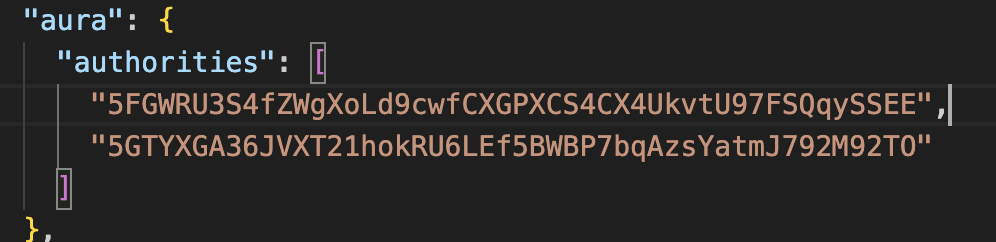
Top portion of customSpec.json should be modified with the details shown below.
Change "01022024" in the name field to reflect current date.

Replace the current two aura keys with the first two generated during "Setup node on GCP". Change the first two key all through out the file using the find-and-replace feature in code editor.
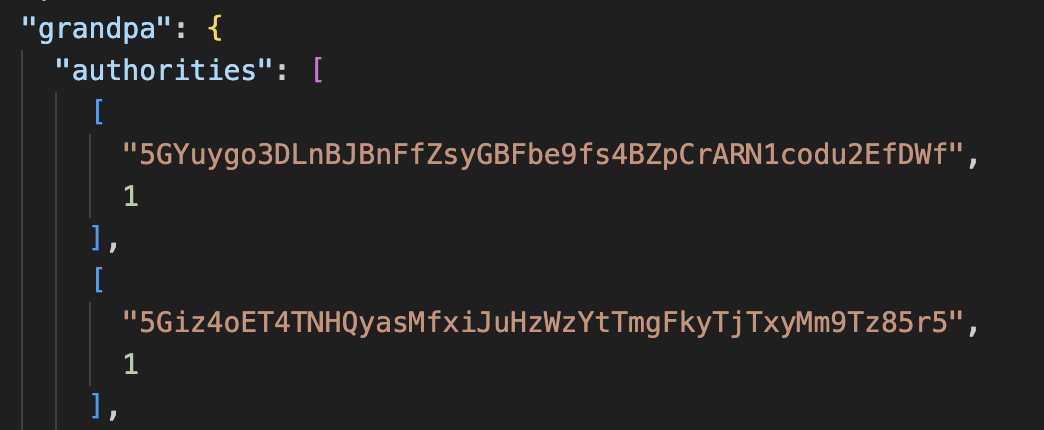
Replace the current two grandpa keys with the first two generated during "Setup node on GCP".
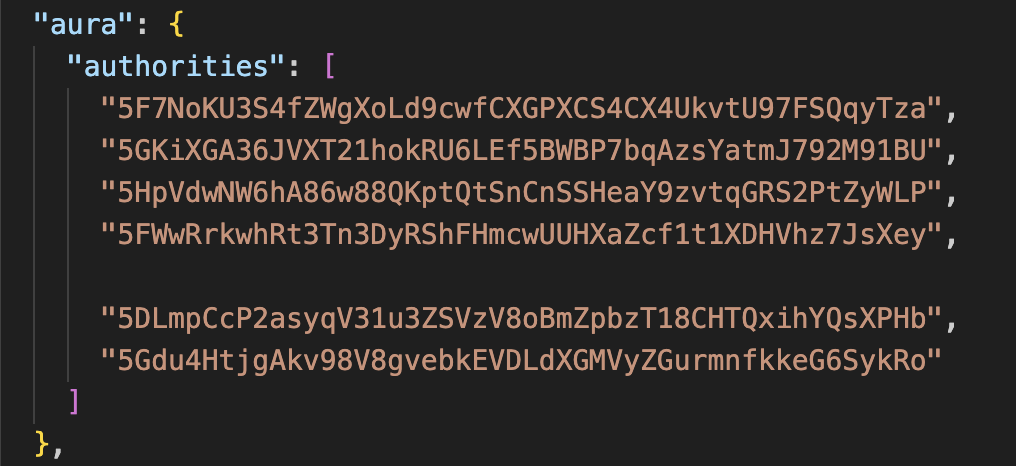
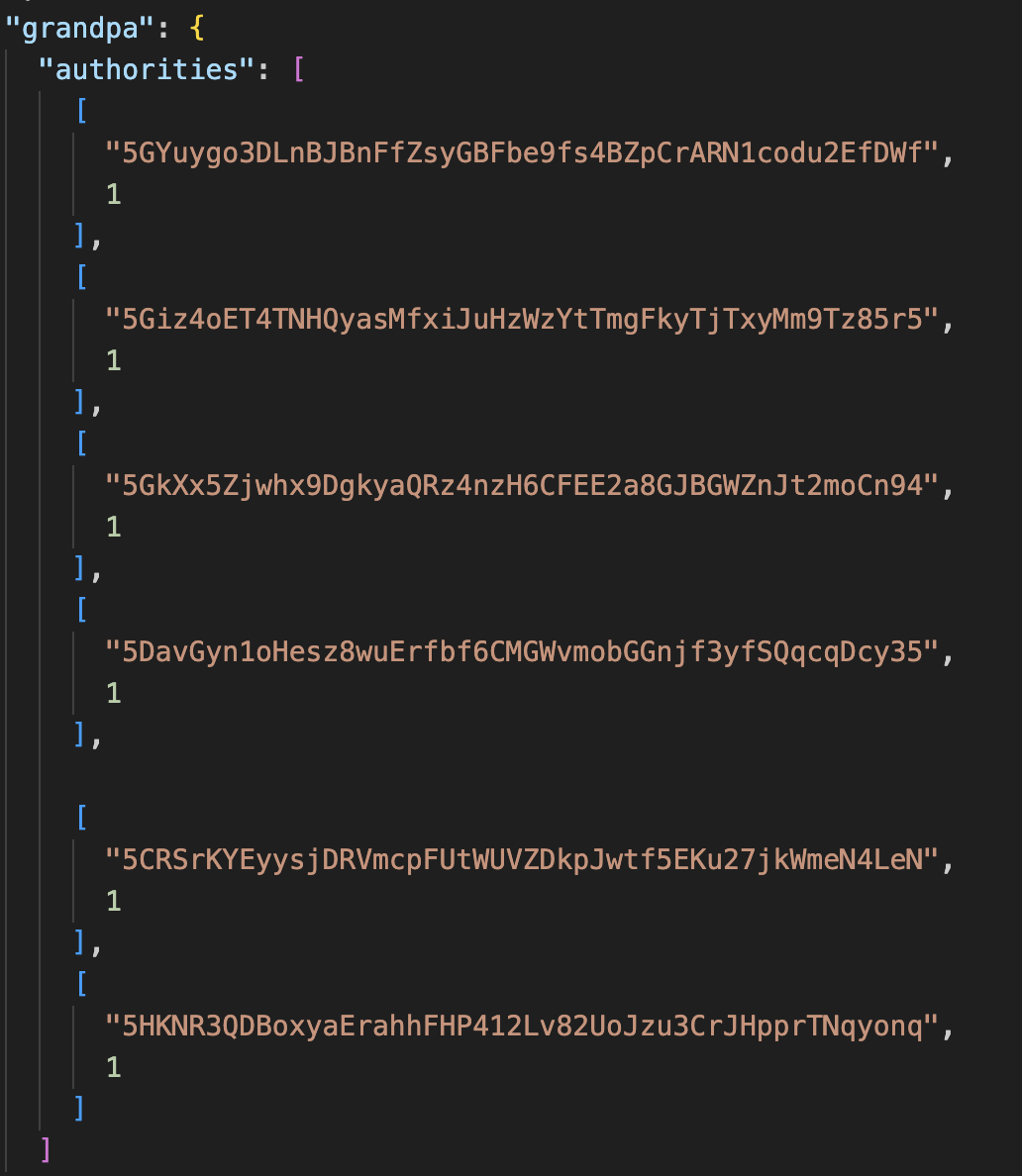
Generate additional aura and grandpa keys for every node that will be deployed on your GCP instance. Gather the aura and grandpa keys from those who will be operating remote nodes.
Add the additional aura keys. This testnet will have a total of 6 nodes running.
Add the additional grandpa keys. Each grandpa key is accompanied with a voting weight for validating. In this testnet, all nodes will have a voting weight of 1.
Convert the chain specification to raw format
Transfer customSpec.json to GCP VM instance using FileZilla or using the upload feature in GCP's SSH-Browser.
To verify that your customSpec.json has been uploaded properly.
head customSpec.json
Convert the customSpec.json file to raw format. The raw format of the chain spec will be distributed to all nodes whose keys have been included in the chain spec.
./target/release/node-unitchain build-spec --chain=customSpec.json --raw --disable-default-bootnode > customSpecRaw.json
Start each node local to GCP instance
Go to https://node.unitcode.org/gcp/start-the-node and follow instructions for starting each node.
Expose P2P port of Bootnode
Run ufw command (Uncomplicated Firewall) to expose p2p port of bootnode.
sudo ufw allow 30333/tcp
Modify firewall policy for GCP instance
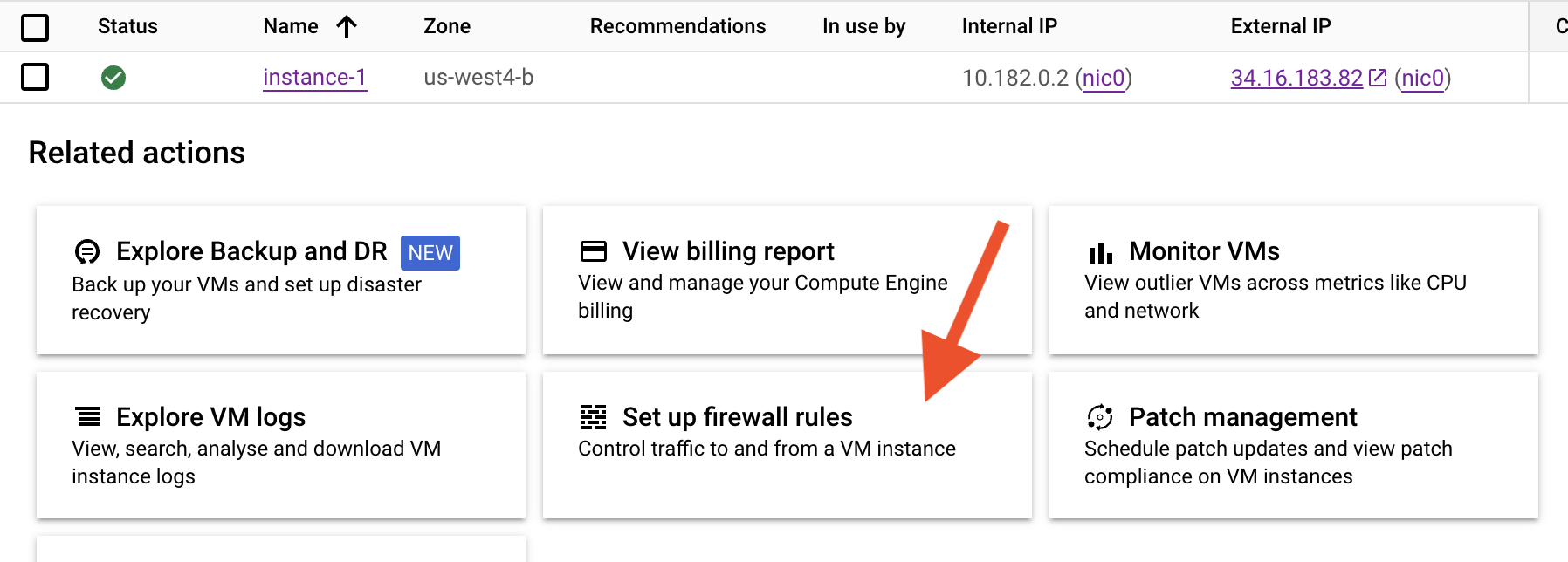
Go to firewall policies in GCP.
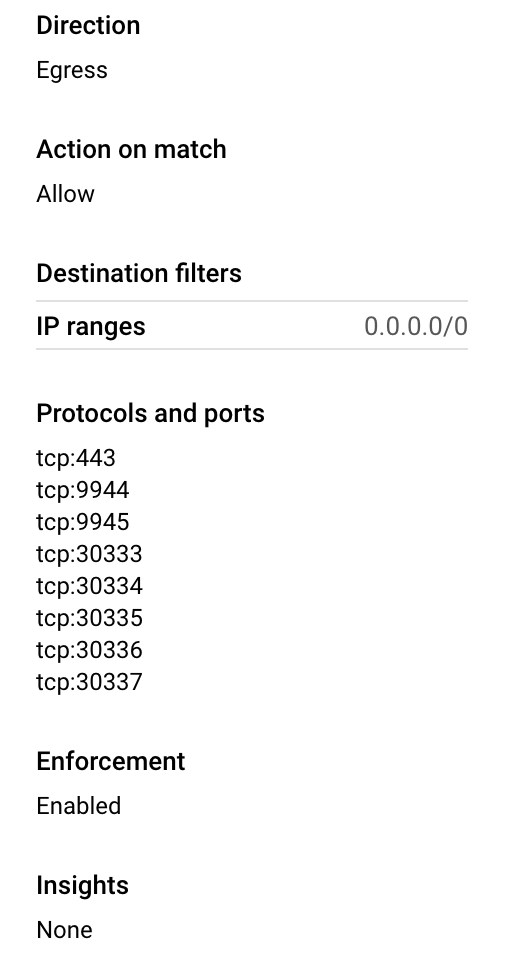
Add an Engress firewall policy so nodes can send data. Include the P2P port for all of your running nodes.
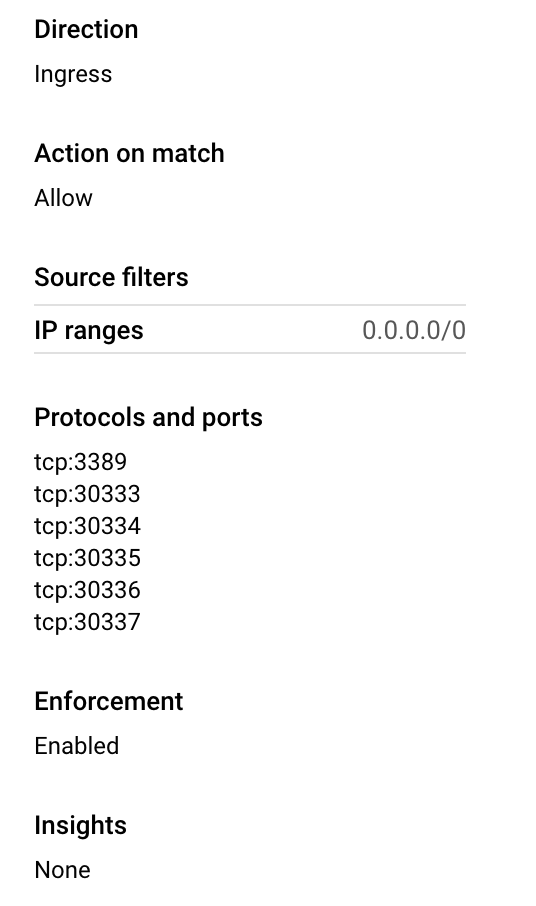
Add an Ingress firewall policy so nodes can receive data. Include the P2P port for all of your running nodes.
Send the following resources to all testnet participants
Each participant needs to receive:
- node binary
- customSpecRaw.json
- "Local node identity" of bootnode (first node deployed)
- Public (External) IP address of GCP VM instance
- P2P port of bootnode
Use Github Actions to provide participants with the correct version of the node binary.
These commands will trigger an action on the repo that compiles the node and uploads the binary in the release to download
git tag v2.3.24 (today's date)
git push origin v.2.3.24